Skip to content




Stay connected, stay in control
The app with parents in focus
The Xplora Guardian app comes free with all Xplora Connect subscriptions – no extra fees, no hassle.
Download it for iOS or Android and manage your child's safety, location, and contacts – right from your own phone.
Safety at your fingertips
Parental control via app
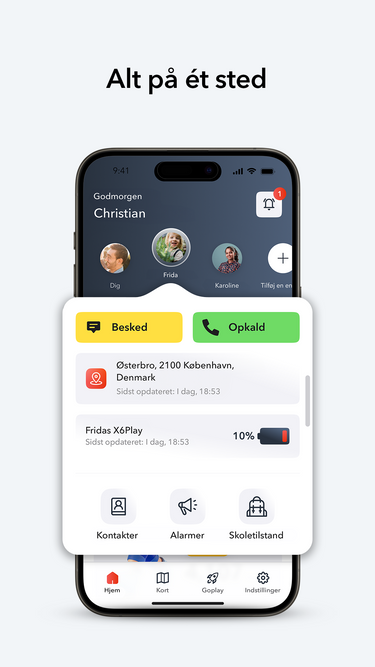
Caring for your child has never been easier. With the Xplora Guardian app, you get all the most important features in one place. You don't need multiple apps to keep track of your child and stay connected.
From GPS positioning to contact approval, you're in complete control. Stay up to date on your child's location, set up safe zones, manage who they can call and text, and receive direct calls with SOS. Whether you're on the go or at home, everything you need is just a tap away.
GPS Positioning in real time
Follow along – without getting in the way
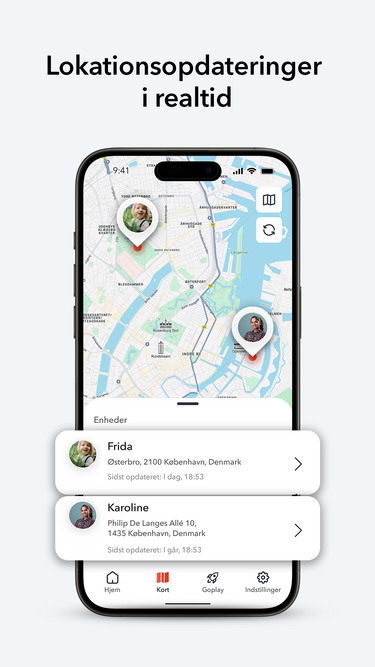
Always up to date. With real-time tracking via your child's GPS watch , you can instantly see where your child is – so you never have to wonder if they've arrived safely at school, practice or a friend's place.
Reliable updates when you need them. Location data is updated frequently and clearly displayed throughout the app. You know if they are where they need to be – and get notified if they leave or enter set safe zones. It’s peace of mind without monitoring.
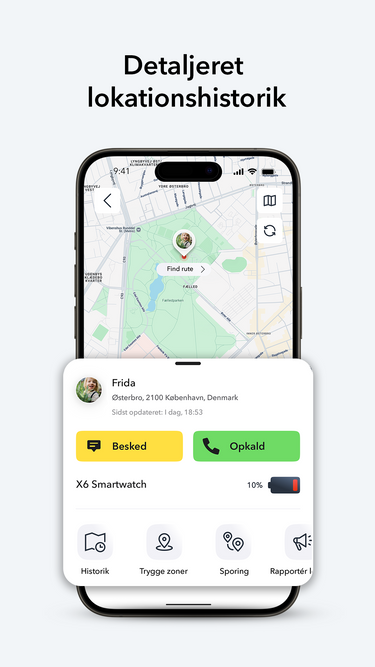
Daily movement logs
Look back on today's adventures
With the Guardian app, you can get an overview of the places your child has visited throughout the day or week . This way, you can easily see where they've been and feel safe as they explore the world.
Security and overview in everyday life. Review the routes together and talk about the day's experiences. This both gives peace of mind and helps you plan the next adventures - so your child can play freely and safely, while you maintain an overview.
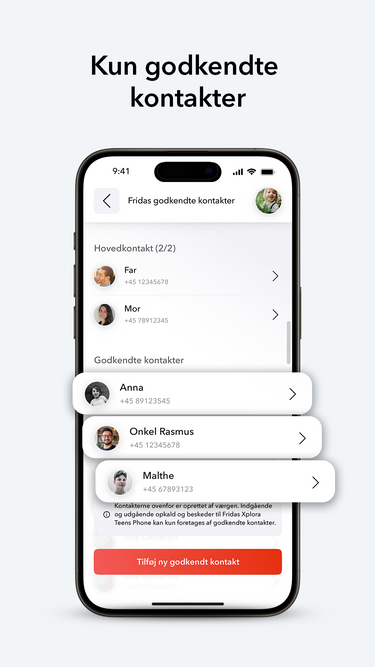
Only safe connections
Only parent approved contacts
No unnecessary contacts. Parents can control who your child can contact. All calls and messages are controlled by the contacts you approve.
Secure communication – right at your fingertips. Add or remove contacts easily via the app. Without internet access, there are no random messages or apps – just secure and trusted communication.
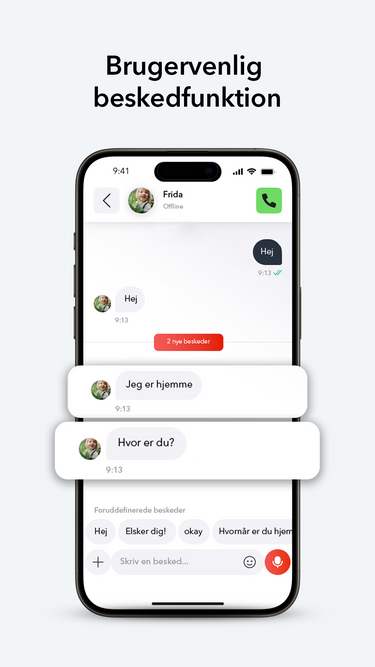
Talk without interruptions
Safe communication
Kid-friendly messages. Send and receive audio greetings, messages, and emojis – in a format created for kids and approved by parents.
Stay connected. No social media, no internet, no ads, no distractions. Just simple and secure communication that keeps you close together.
Xplora Guardian App: Frequently Asked Questions
Find quick answers to the most common questions about the Xplora Guardian app.
What is the Xplora Guardian app?
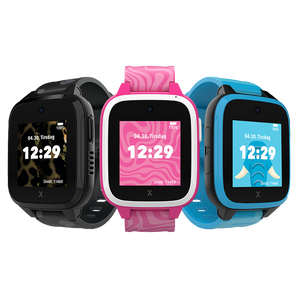
The Guardian App is an administrative tool for the child's Xplora smartwatch, allowing parents to view their child's location via GPS, set safe zones, and manage contacts.
Is the app free to download?
Yes! Xplora's parent app can be downloaded for free from the App Store and Google Play.
How many watches can I manage with one app?
You can manage multiple of our GPS watches for children for different users from the same account.
Can I add more than one main contact?
Yes, you can add an extra main switch to both the X6Play smartwatch and the XGO3 children's watch , which will have the same access to manage the watch's many functions.
How do I connect the children's watch to my phone?
Charge your watch: Start by fully charging your child's Xplora smartwatch.
Download the Xplora app: Download the Xplora app from the App Store or Google Play on your smartphone.
Prepare your phone: Make sure both Bluetooth and WiFi are enabled, and keep other devices away to avoid interference.
Create or log in to your account: Open the Xplora app and create a new account, or log in with your phone number and password.
Turn on the watch: Press and hold the power button on the watch for 10 seconds until it turns on.
Add the watch in the app: Tap the "+" icon (top right) in the app to add a new device.
Connect the watch: Use your phone to scan the QR code displayed on the watch screen.
Complete the activation: The watch will automatically connect to your phone and your kids' smartwatch is now activated and ready to use! 😊
Xplora Guardian App er kompatibel med enheder, der bruger iOS 17 eller Android 7.0 eller nyere. Enheder med ældre operativsystemer understøttes ikke.

 Danmark
 Norge
Norge
 Sverige
 Suomi
Suomi